We are going to start peeking under the hood of these AI assistants to see how they work. The proverbial Sausage Makings.
We want to have a basic understanding of what is involved, so in subsequent sections, we can explore further and see what could be done to make them work better.
We’ll start with hardware assistants, but the steps and stages are very similar to those used in software, such as those running on a phone or a desktop/laptop computer.
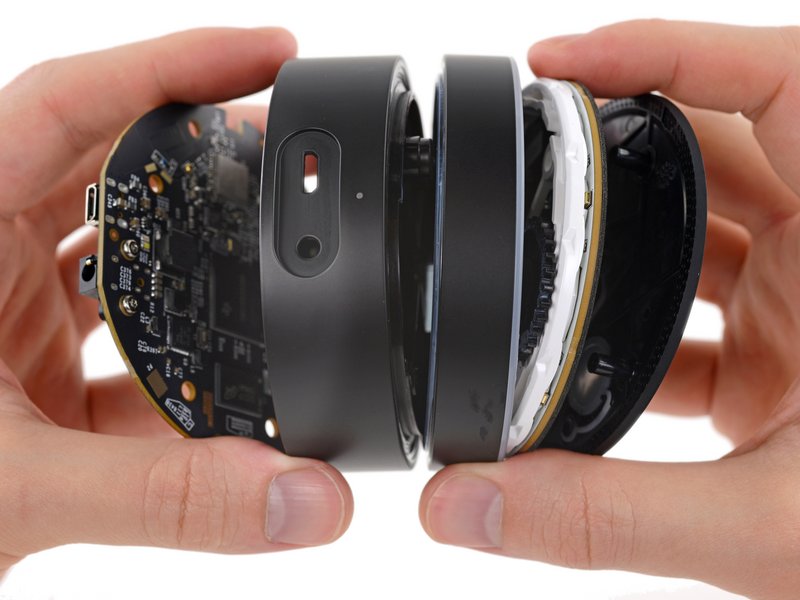
By 2016, a smaller form-factor Echo Dot could perform much of the same Alexa functionality at a price under $30:
iFixit
The 2016 Google Home gets the same iFixit treatment to reveal substantially similar functionality.
iFixit
What is common across all of them is how little there is. There’s no beefy CPU/GPU chip, loud fans, or massive amounts of raw processing power. What these devices do is perform a few things on-device, but mainly, take what we say and send it to a cloud-based service, then play back the audio response (or music). All the heavy lifting is done on the cloud.
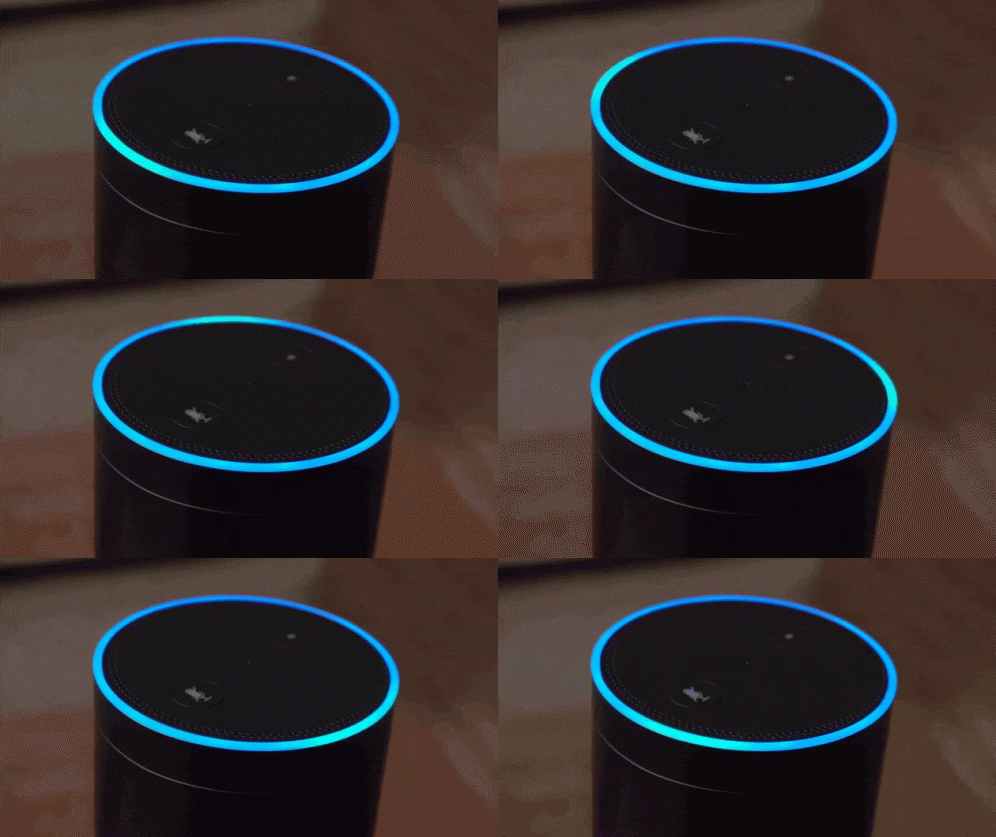
They also play fun light animations.
Building Blocks
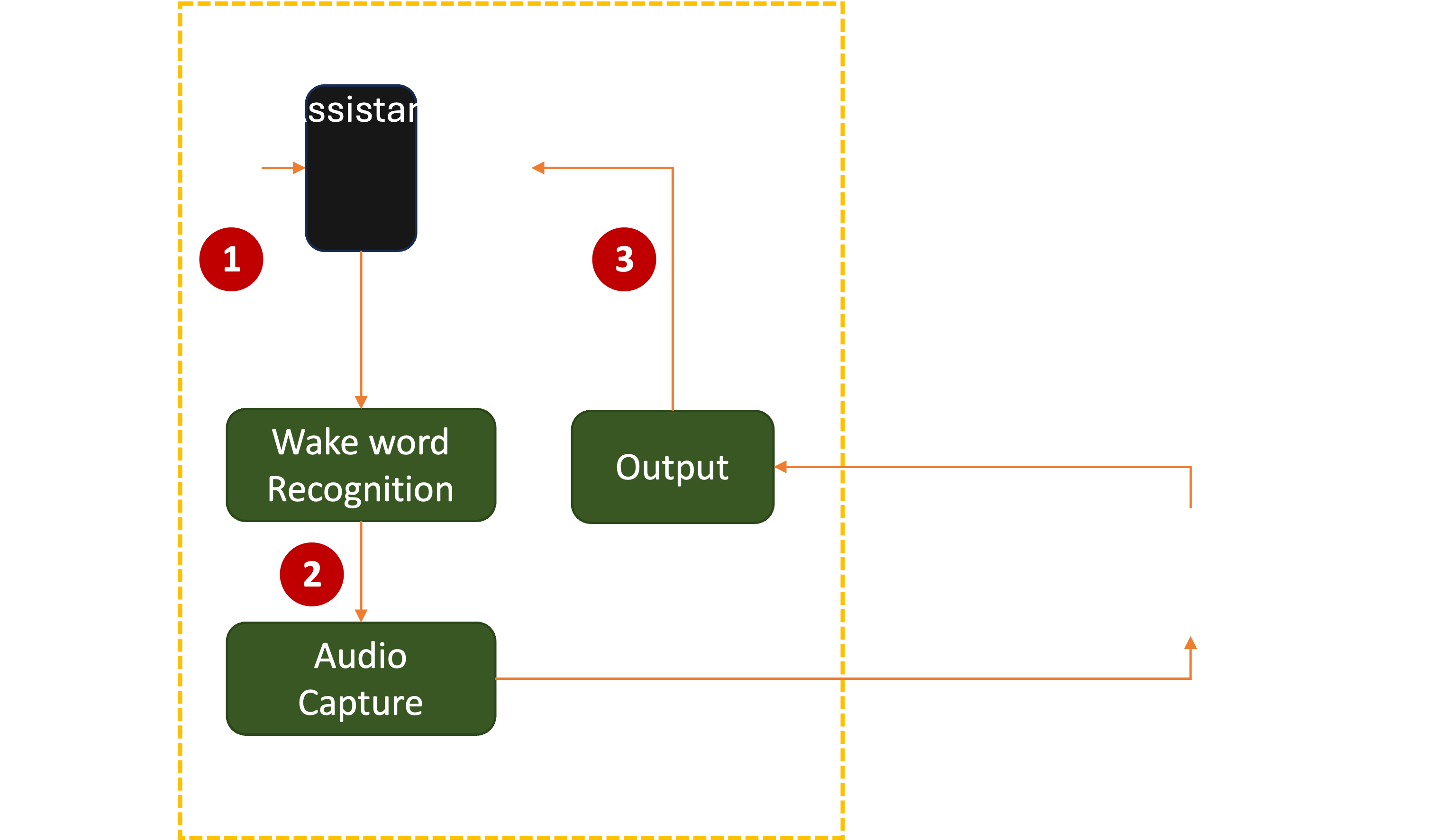
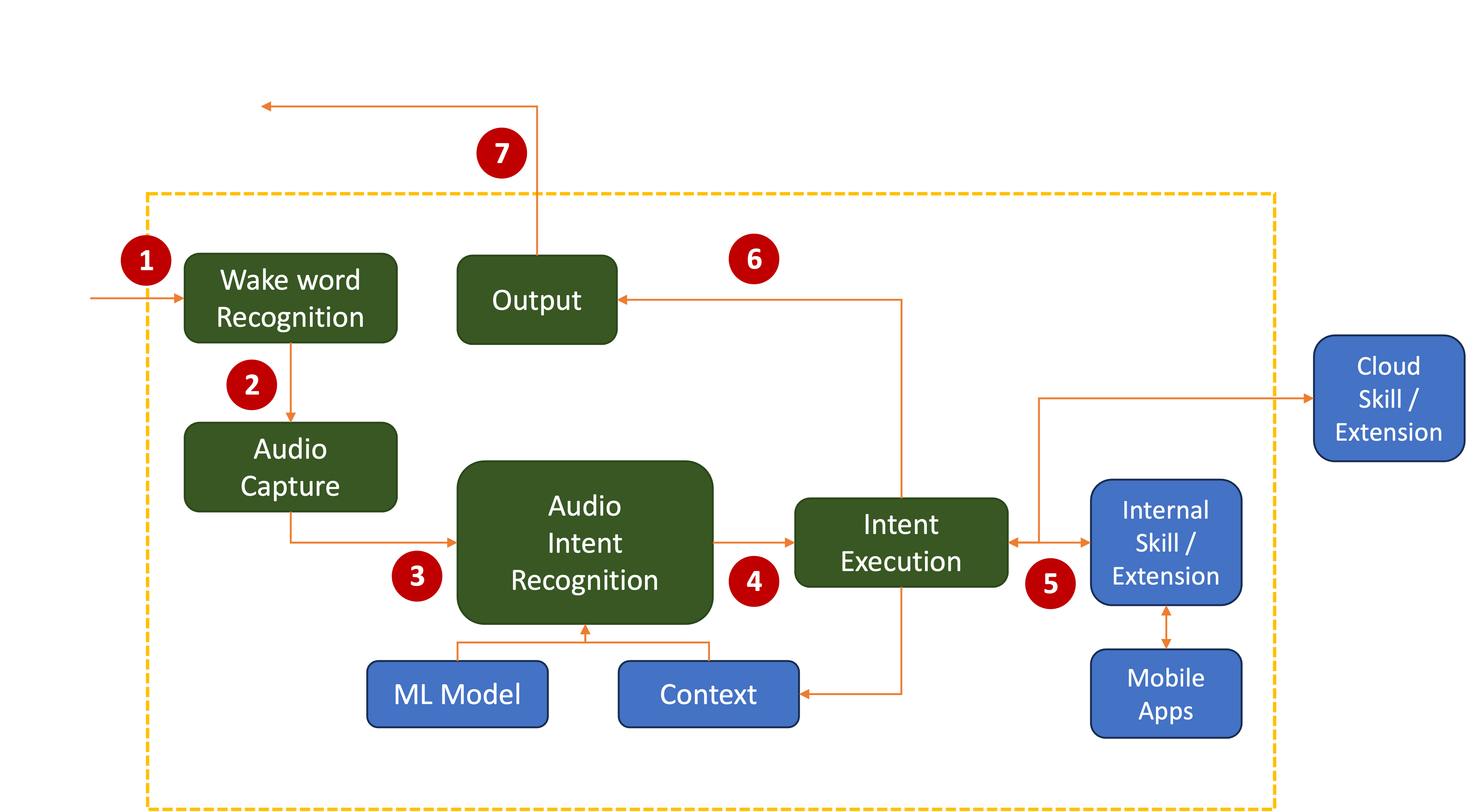
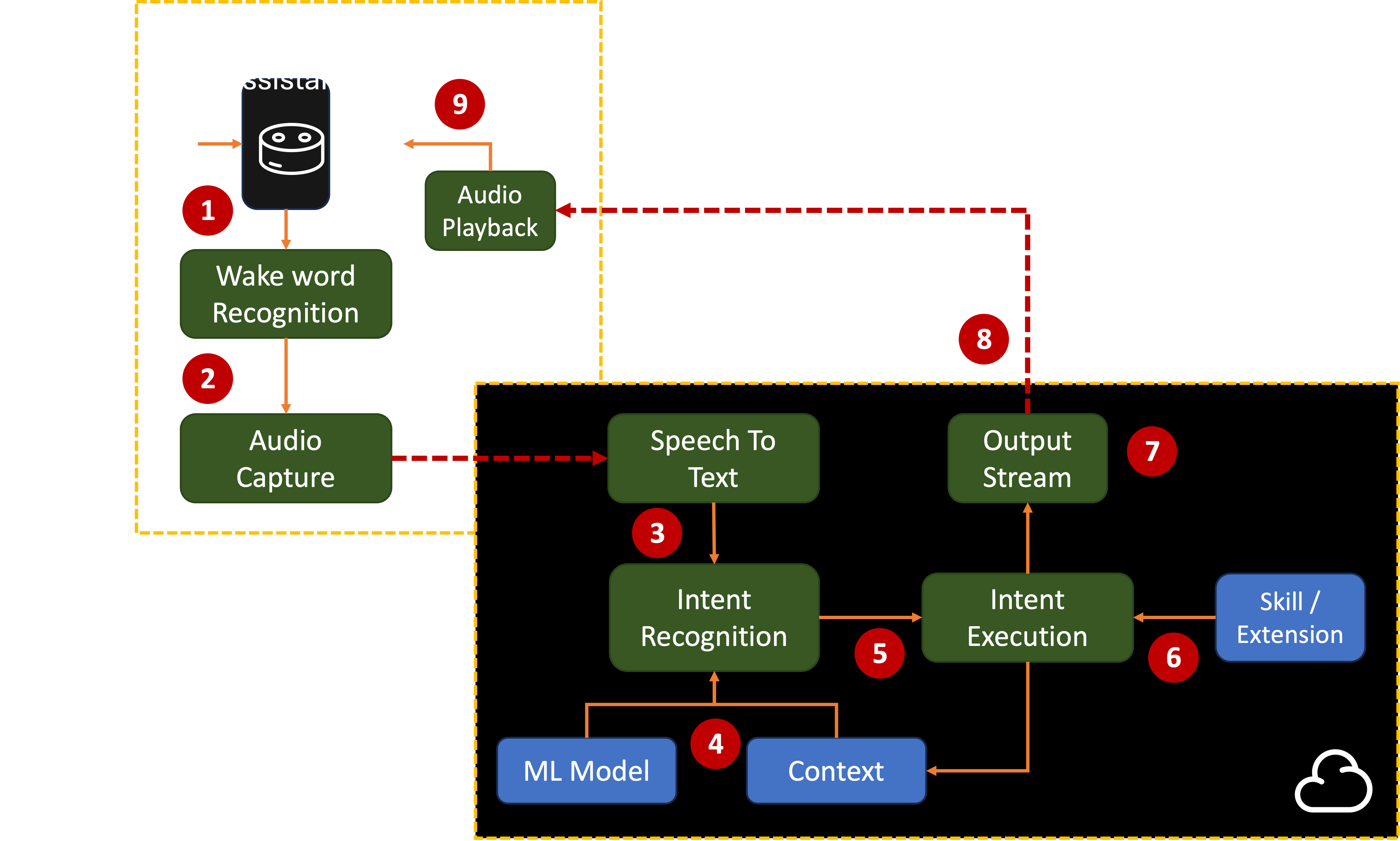
Almost every Assistant (whether a standalone device or software running on a phone, PC, or console) consists of these stages:
Each device does it differently. Software assistants may Just Work, or they may require you to create an account. Hardware assistants also need to be set up on the local WiFi network and connected to your existing account.
Either way, know that thousands of person-hours were spent on making that foolproof first impression.
2. Wake Word Recognition
Once onboarded, the device or software listens for the user to utter a wake word. Anything said before the wake word should be ignored:
There’s a practical purpose to this. If a device had to send every little bit of sound it picks up to the cloud, it would be wasting unnecessary cloud bandwidth and processing power. Listening for only a wake word allows that to be performed quickly and efficiently on the device itself.
iFixit
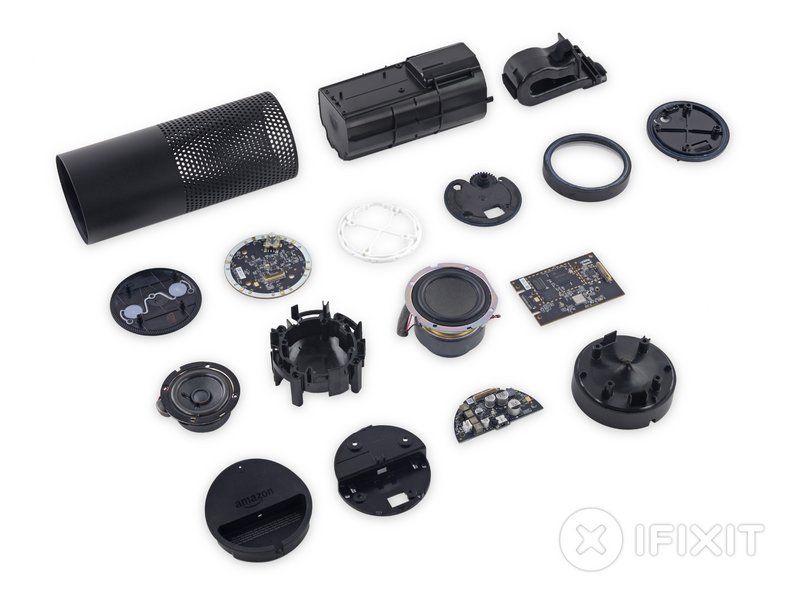
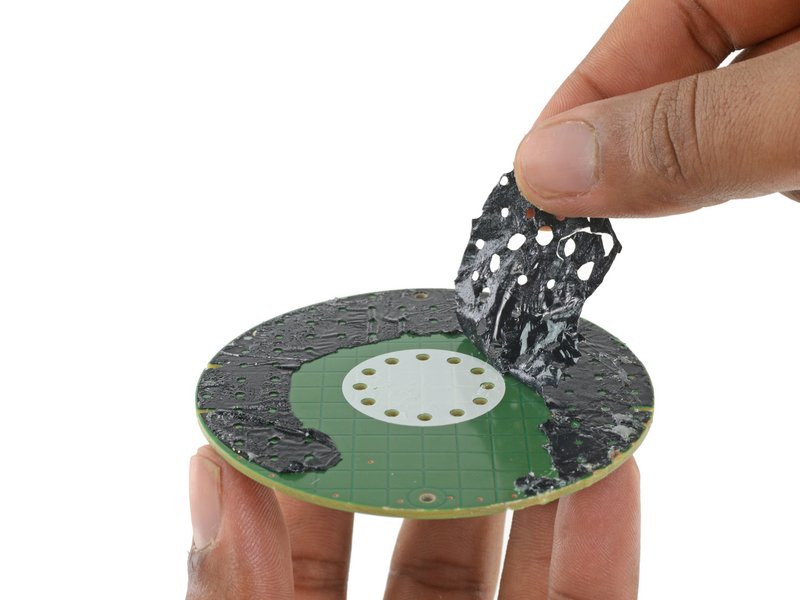
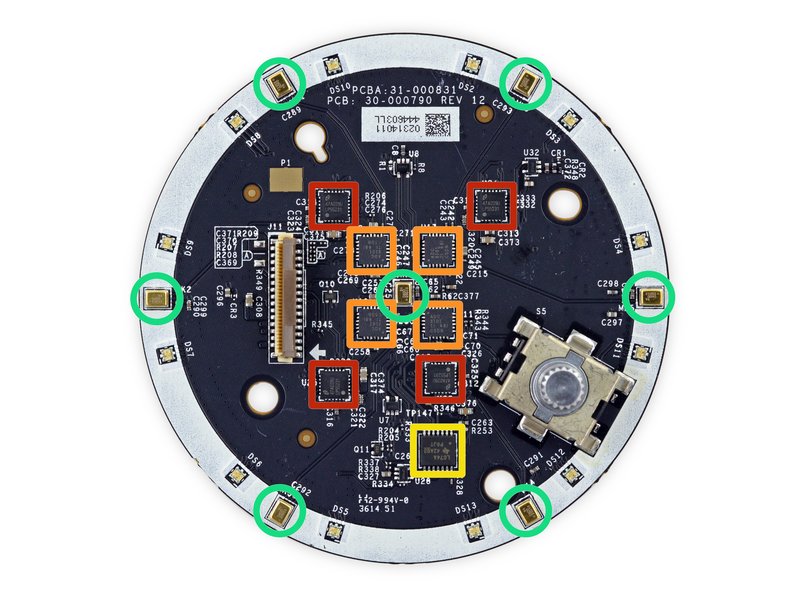
In the iFixit Amazon Echo breakdown, there are seven (7) microphones placed in a circular array (they’re the ones inside the little green boxes). These are used to allow the user to stand anywhere around the device. Background sound removal and noise cancellation as well as beam selecting algorithms enable an individual’s voice to be detected even in a noisy environment. These and other features like echo cancellation allow the user’s voice command to be isolated even if a smart speaker or phone is playing music.
There are conspiracy theories that these microphones are always listening and transmitting all the data to the cloud.
The truth is that this would be expensive on the server side and could incur extra costs for customers on metered bandwidth ISP plans. Recording voice data without user consent also has potential legal implications. Wake words help solve all that.
However, in more recent Alexa updates, users can request triggering of actions to certain detected sounds. The list is small enough to make it reasonable to perform detection on-device.
But if your smart speaker allows arbitrary noises, or supports wake word-free instructions, say, like Google’s Quick Phrases, there is a good chance all the sound data within earshot is getting hoovered up and sent to the cloud. Feel free to reapply the tin-foil hat.
The trained data for the wake word is loaded on-device and compared to sound data without accessing the network. If there is no match, nothing happens. But as soon as the wake word is detected, the system goes into the next stage, which is…
3. Audio Capture
Now, all the microphones are activated, and the system is capturing everything surrounding it. The audio is converted from sound waves into binary data using a circuit called the Analog-to-Digital Converter (ADC).
The user’s voice command needs to be captured and converted into a digital stream. The problem is where to store and process that data? Most AI assistants have limited data storage and processing capability.
The amount of data generated is not trivial. A 5-second command at the lowest possible sound resolution comes to around 400KB. Multiply this by several microphone streams, higher resolution data to reduce static noise, and that’s enough to blow past how much RAM is available in a small, $30 assistant (even if sold as loss-leaders).
As mentioned above, various on-device audio processing algorithms clean up the sound to help the detection algorithms work better. A reasonable amount of this digital data is then buffered and continuously streamed down to the cloud.
During Audio Capture stage, the microphones ARE listening to your voice (as you requested). They will capture ALL other sounds in a room and send those to the cloud.
Once you stop talking, the system can proceed to the next stage. But how can it tell when you’ve stopped? What if there’s background noise? A lot of engineering effort has gone into this, since it’s looking for the absence of sound. There is no 10-4, over and out, or stop-word to rely on.
Let’s assume the algorithms have been fine-tuned and the system has filtered out the soap opera on TV, the dog barking, music playing, and someone having a loud phone call. It has somehow managed to tell the difference between when you have stopped talking or just paused (for breath).
Now, the binary bits are all on the cloud, ready for further processing. All is good.
4. Audio Intent Recognition
The core function of an AI Assistant is to suss out (technical term) what the user is asking for. Without prior training, it needs to perform Natural Language Processing (NLP) algorithms. If you recall from Part I, pre-training was one of the obstacles to early speech-to-text systems.
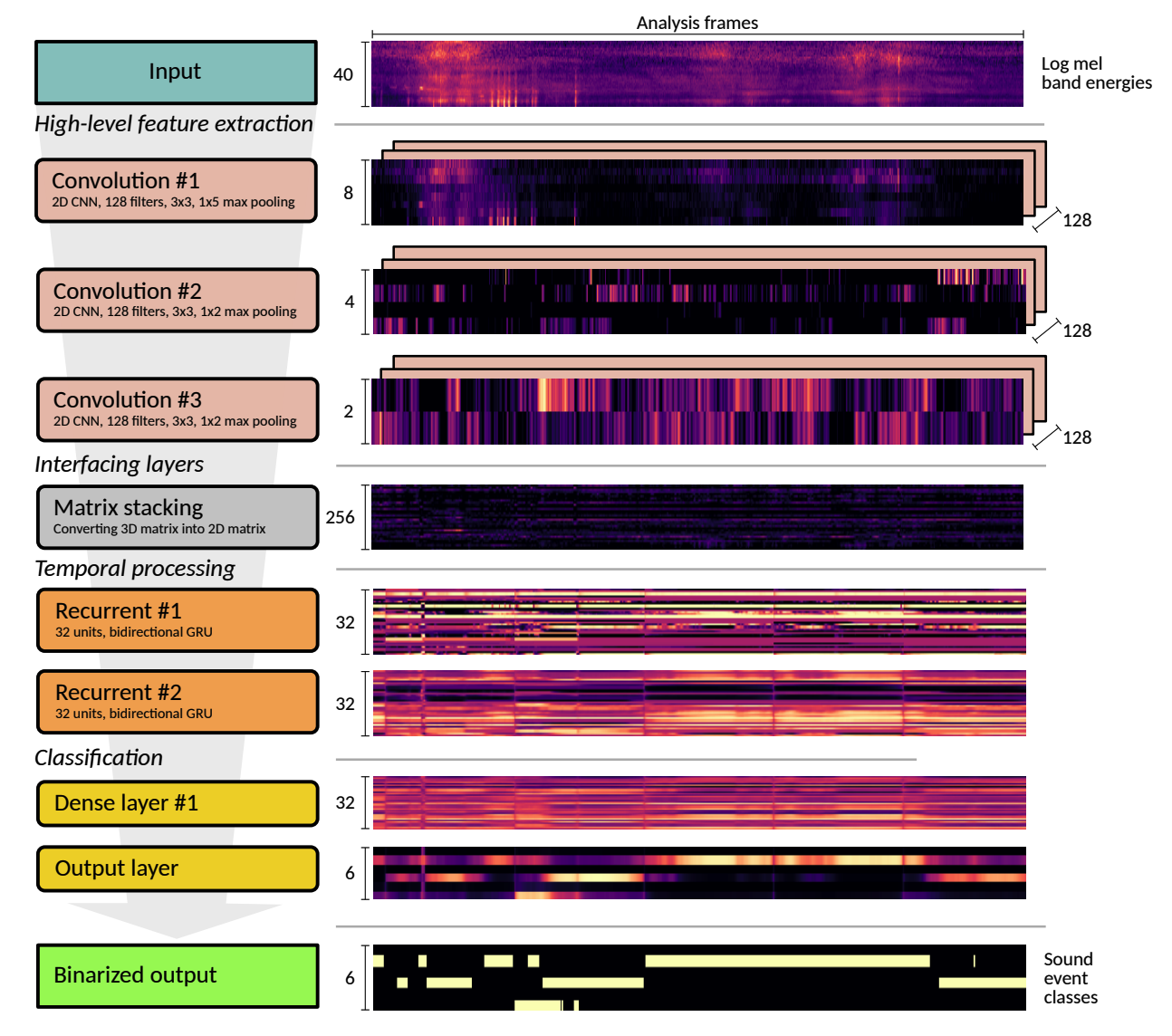
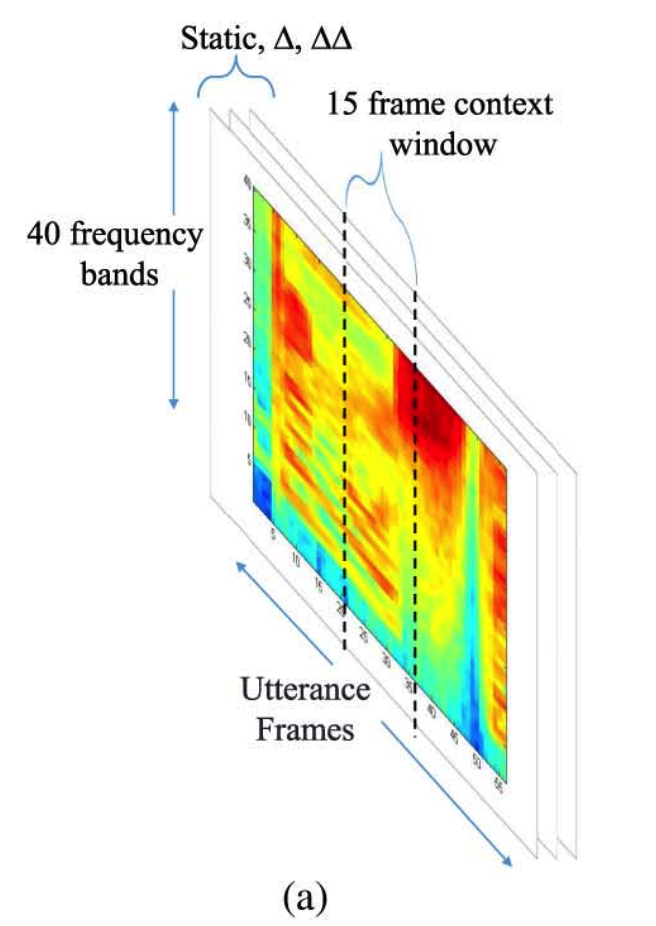
There are several NLP processing algorithms, but they are mostly variations of some form of Neural Network.
The output of the first step in this process is a string of text matching the user’s input. If the user has a strong accent, speaks in a whisper, or there is much cross-talk, the system might stop at this point and return an error. Depending on the Voice Assistant, it will either politely report a failure or quietly do nothing.
Spot Intelligence
The text of the utterance needs to be turned into a User Intent using an Intent Classification algorithm. Think of this as a black box that accepts a string of commands, analyzes it using a series of Machine Learning algorithms, user preferences, or interaction history (aka, Context), and returns a structured command that a computer program can invoke.
This is another complex problem to overcome since human language is generally vague. Words may have multiple meanings or vary depending on the context of a conversation. For the system to work as expected, it should provide a best guess as to what the user may mean.
Some systems may engage in multiple rounds of query/response to ask for clarification regarding the user’s intent. In that case, the context from the first request may be saved and referenced in the conversation’s subsequent rounds.
Either way, the output of this stage will be a User Intent, which may be cast as an Action and one or more Parameters. Some systems only allow a single parameter. Others may try to match the utterance to a series of pre-determined patterns and slots to find the best match.
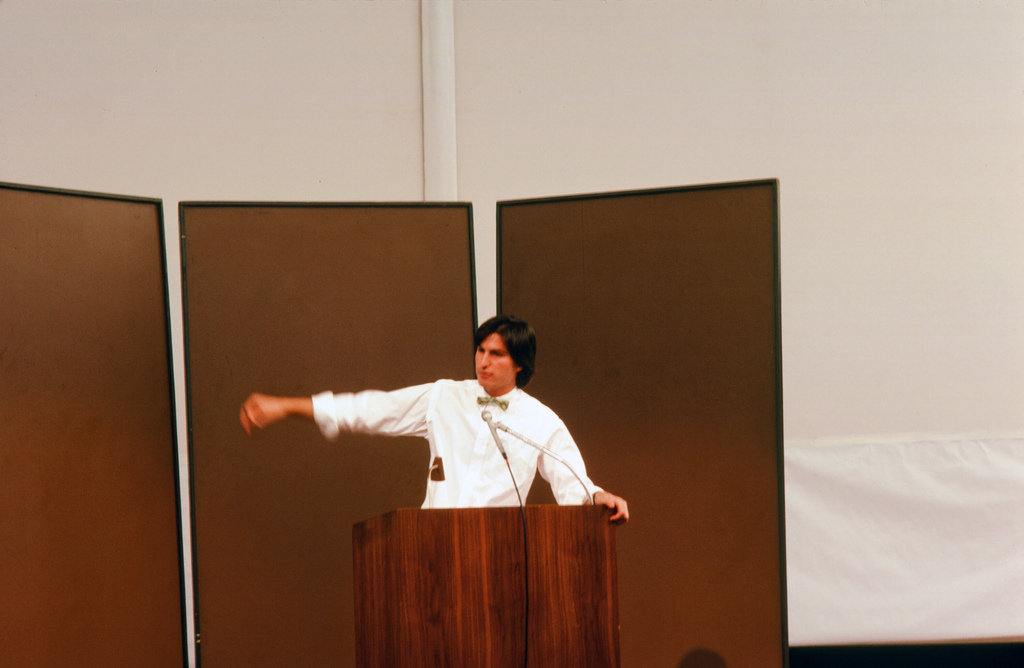
In 1983, Steve Jobs gave a talk at the Aspen International Design Conference (IDCA). The theme was The Future Isn’t What It Used To Be. During an audience Q&A session, he was asked about voice recognition’s future.
He replied:
‘Voice recognition is about, it’s going to be a better part of a decade away. We can do toy recognition now. The problem is that it isn’t just recognizing the voice. When you talk to somebody, understanding language is much harder than understanding voice. We can sort of sort out the words, but what does it all mean? Most language is exceptionally contextually driven.’
‘One word means something in this context and something entirely different in another context, and when you’re talking to somebody, people interact. It’s not a one-way communication: saying yup, yup, yup, yup voice. It grows when it interacts; it goes in and out of levels of detail, and boy, this stuff’s hard. So, I think we’re really looking at a better part of the decade before it’s there.’
The rest of the talk is fascinating too. Jobs brings up a lot of ideas that came to fruition decades later.
5. Intent Execution
Remember, the user’s string of words has to be turned into an Intent or command, which can be matched against the list of capabilities known to the system. This may mean looking up data in a database, calling an API (e.g., getting current weather, adding an item to a shopping cart, requesting sports results, setting a timer, etc.), or controlling a device.
Depending on the system’s design, the list of operations may be limited by the Intent Execution system. For example, using a Domain Specific Language to target specific problems.
One of the common side-effects of Intent Execution is that the output is saved back into an internal data structure called Context or Memory as part of a sequence of requests. This allows the Intent Classification system to better react to user requests and the system to discern what the user means when they reference that or this during a series of interactions.
6. Skills
Skills extend the functionality of an Assistant, often by third parties. Each skill has to be discovered, registered, and provide sufficient information for the runtime Intent Execution stage to decide whether to make use of it.
We’ll talk about these extensions later, but I’ll jump ahead and mention that third-party skills/extensions have become strategic to the design of these systems. Each time a new assistant joins, it not only has to compete against its competitors, but also against all the third-party skills that were supported by other assistants.
That makes it essential that the interface between an assistant and its skills be well-defined and not cause breakage whenever the assistant software is updated.
How to best integrate third-party Skills may be one reason Alexa’s AI Upgrade was delayed. The old skills will no longer work with the new service.
Similar criticisms were leveled against Apple after failing to deliver a new Siri upgrade after last year’s 2024 Apple Worldwide Developers’ Conference demos:
This year, at WWDC 2025, the absence was even more noticeable.
In a subsequent section, we’ll cover why merging general-purpose generative AI and extensible extensions is a complex problem.
But let’s keep moving on. The system has executed the Intent either internally or via a Skill and has a response.
6. Text-to-speech (TTS)
The result of the command getting executed will likely be a data structure with either a status code or some type of data (i.e., OK, weather report, or sports score). Now comes the reverse of NLP, where text is converted back to speech.
Much research has been done to convert text into an audio stream using a choice of voices, intonations, and accents. Whatever the mechanism, we want to correctly pronounce custom phrases (for example, the name of a town, a famous actor, or a sports figure). Many systems also offer a selection of voices with different genders and regional voices. This is where the algorithms are constantly being tweaked and tuned.
In some languages, there are Heteronyms, words that have the exact spelling but are pronounced differently.
In English, words like bass may be pronounced as bay-se as in the musical instrument, or bah-ss as in a type of fish. What’s more, a bass may be referencing an electric guitar, a classical music instrument, or a type of singer in a choir. There’s a base of operation, base of a tower, the foundation of a perfume, and a pedestal.
An assistant will need to disambiguate between all these. Go ahead and ask your favorite AI Assistant:
“Where is the secret base for learning how to play Bass while fishing for Bass.
Extra points if I can also practice singing bass in a barbershop quartet while drinking a pint of Bass.”
7. Output
The response text has been converted into a binary audio stream and returned to the Assistant in digital form. This is then converted back to analog audio waveforms using a reverse of the ADC circuit, called Digital to Analog Converter (DAC). The sound is then played out of the speaker.
If the user command was to play some music, the device may play back the acknowledgment and then switch and open a separate channel to a music streaming service.
Either way, this sequence is done, and the Assistant system can return to its starting state.
There are some variations. If you want to ask a follow-up question without having to say the wake word each time, it may briefly return to listening mode. This allows the user to have a somewhat more normal conversation without having to keep repeating the wake word.
On other systems, certain common words like Stop are treated as a combination wake-word and command.
But most typically, the Output stage is considered the endpoint of the sequence.
‘The ideal response latency for humanlike conversation flow is generally considered to be in the 200–500 milliseconds (ms) range, closely mimicking natural pauses in human conversation.’
One way to reduce the cost of an individual Assistant device is to limit the processing and storage needed on that device. An inexpensive device like Google Nest Mini ($50 at this writing) or Echo Dot (5th generation) ($49.99, on sale for $34.99) will likely consist of only these components:
For a higher-priced device like a flagship mobile phone that costs over $1000, ML models designed to fit on-device may be deployed. These models can take advantage of onboard accelerator chips such as Google’s Tensor chip or the Apple Neural Engine.
At WWDC-25, Apple announced a series of on-device Foundation AI Models that would allow many AI workloads to be performed on a Mac, iPhone, or iPad without having to go to the cloud.
This has several advantages regarding data privacy, latency, and networking and bandwidth costs. Google, Samsung, and other premium devices have a similar flow with their own variations of on-device.
The same architecture can also apply to higher-end gateway devices based on technologies from Qualcomm and MediaTek.
The More the Merrier
Until now, these devices have only supported specific instructions or fixed ways to ask for something. But with the advent of LLMs, there is a growing expectation that users could have free-form conversations with their devices. OpenAI’s software now supports Voice Mode input and so does Anthropic’s Claude.
Full-featured, server-class LLMs, on-device AI Assistants, and wearable devices are on the horizon. They may come from the large vendors listed here or from a completely different direction, given OpenAI’s acquisition of Jony Ive’s joint hardware project.
Amazon’s Alexa+ is the first major device assistant with built-in LLM support. We’ll cover these later.
Idiotbox
Why do assistants give the wrong answer? Or say they can’t understand? Or just fall back to doing a plain web search?
Why can’t Things Just Work? Let’s dig into that next.



There are conspiracy theories that these microphones are always listening and transmitting all the data to the cloud.
 From Convolutional Neural Networks for Speech Recognition